Get it done.
Return a call. Reply to an email. Take out the bins. Qcard helps you stay with the task, even when you can’t do it right away.


No signup. No credit card. No subscription commitment to start.
A reminder arrives. You’re in the middle of something.
Tap to delay it. Get back to what you were doing. When it’s due again, Qcard reminds you.
When you’re finished, mark it complete.
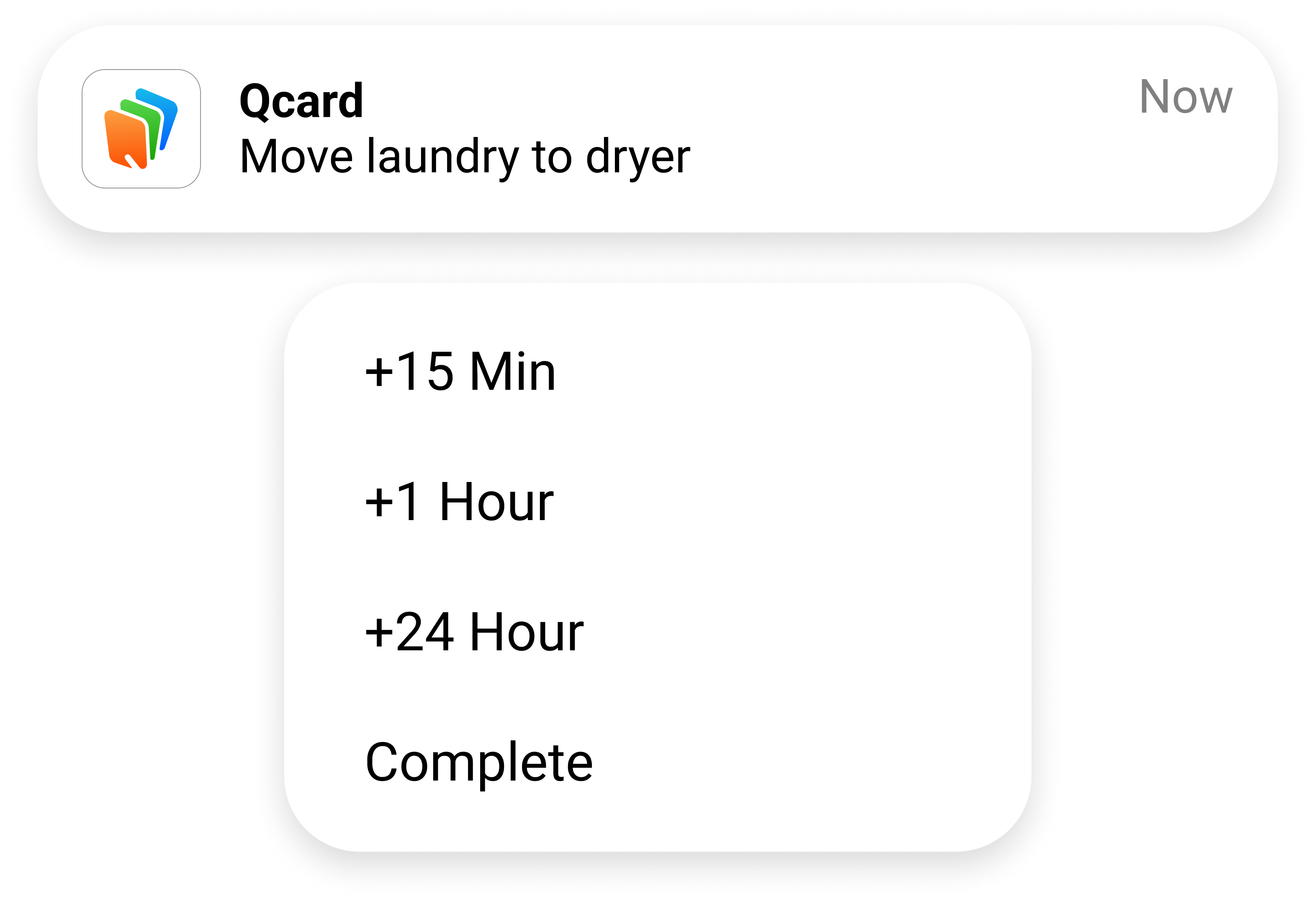
Delay or complete a reminder straight from your notification—without opening Qcard.
“I love that even when I snooze it, it will keep popping up until I do it.”
MissWhodiniApp Store reviewer
With Qcard open, a quick shake of your phone lets you capture a thought before it slips away. A few words—typed or spoken—and a time are all it needs.
Then get back to your life.
Return a call. Reply to an email. Take out the bins. Qcard helps you stay with the task, even when you can’t do it right away.
An appointment starts before you arrive. Qcard keeps it in view with flexible reminders and a clear sense of how much time is left—so you have time to get ready and get going.
Some things take more than one step. Qcard guides you through routines like laundry, so you can focus on the step you’re doing without remembering what comes next.






When things slip your mind, everyday life can take a lot of effort.
Once it’s in Qcard, you don’t have to keep checking what’s next. Qcard reminds you when it’s time, so your attention can stay with what’s in front of you.
“Using Qcard to cope frees my mind from fear of failure and helps with other issues like task completion and the dreaded but awesome hyperfocus :)”
Jenify69App Store reviewer
After my brain injury, remembering was only part of the challenge.
A reminder could tell me what to do. But if I couldn’t do it right then, I had to remember it all over again.
I wanted to be able to say “not now” without losing it completely.
Building Qcard meant rethinking what a reminder needed to do.
A call you’ve been meaning to make. Something you need to pick up. That little task you keep forgetting.
Put it in Qcard. See what happens when you don’t have to remember it on your own.
Try Qcard free for 30 daysNo signup. No credit card. No automatic subscription when your free period ends.
After 30 days, continue for $5.99/month or $44.99/year.
See pricing detailsQcard it. Get back to your life.
Qcard was created after its founder experienced a brain injury. People living with ADHD, brain injuries, and challenges with memory and executive function use it to help them follow through on everyday tasks. You don’t need a diagnosis to find it useful.
Once something is in Qcard, it alerts you when it’s due. You can delay or complete it directly from the notification, without opening the app.
Choose a delay from the notification, such as 15 minutes or one hour. The reminders pause until the new time. When the card becomes due again, Qcard resumes reminding you.
Qcard follows your phone’s notification settings. Focus can silence its alerts.
When you open Qcard after the free period, you’ll be asked to choose a monthly or yearly subscription to continue. Starting your free period doesn’t subscribe you automatically.